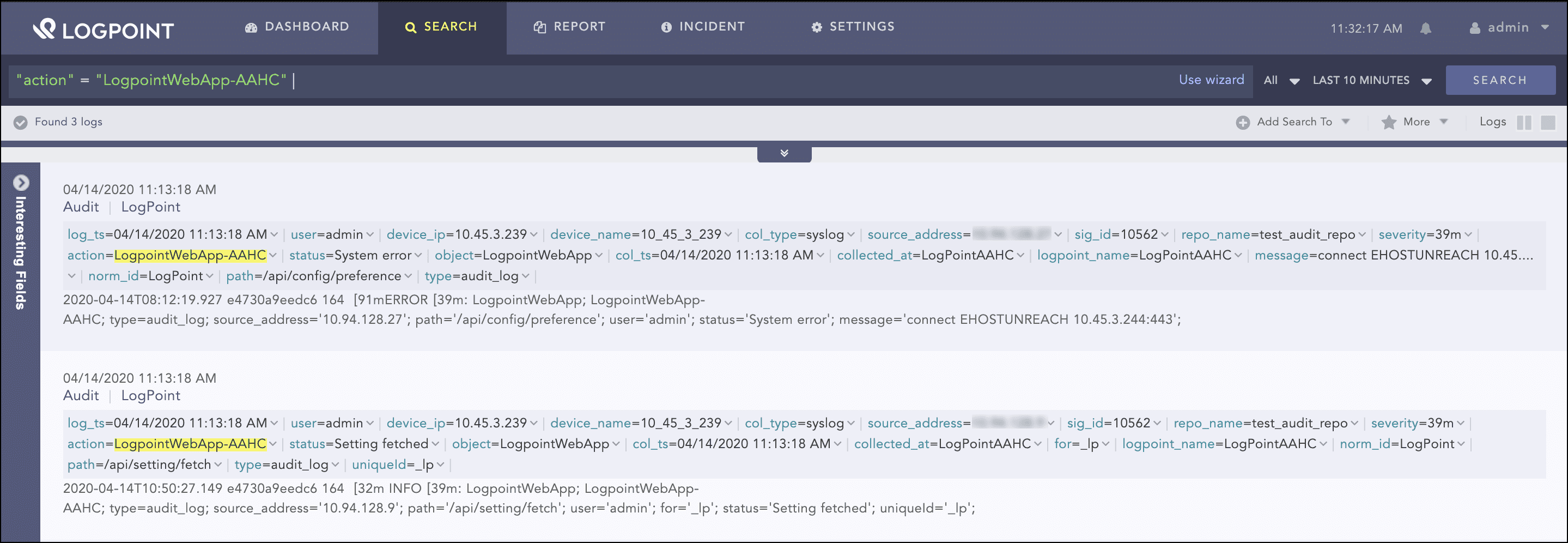
AAHC generates audit records for login attempts, configuration, and search history. It forwards the audit logs to a remote Syslog server. The Syslog server can be a Logpoint instance or any other log receiving service.
Log into the Logpoint with your credentials.
Go to Settings >> Configuration >> Devices.
Click Add.
Enter a Name for the device.
Enter the IP address(es) of the AAHC server.
Enter the Device Groups, Log Collection Policy, Distributed Collector, and Time Zone.
Define the risk values of the device in terms of Confidentiality, Integrity, and Availability.
Click Save.
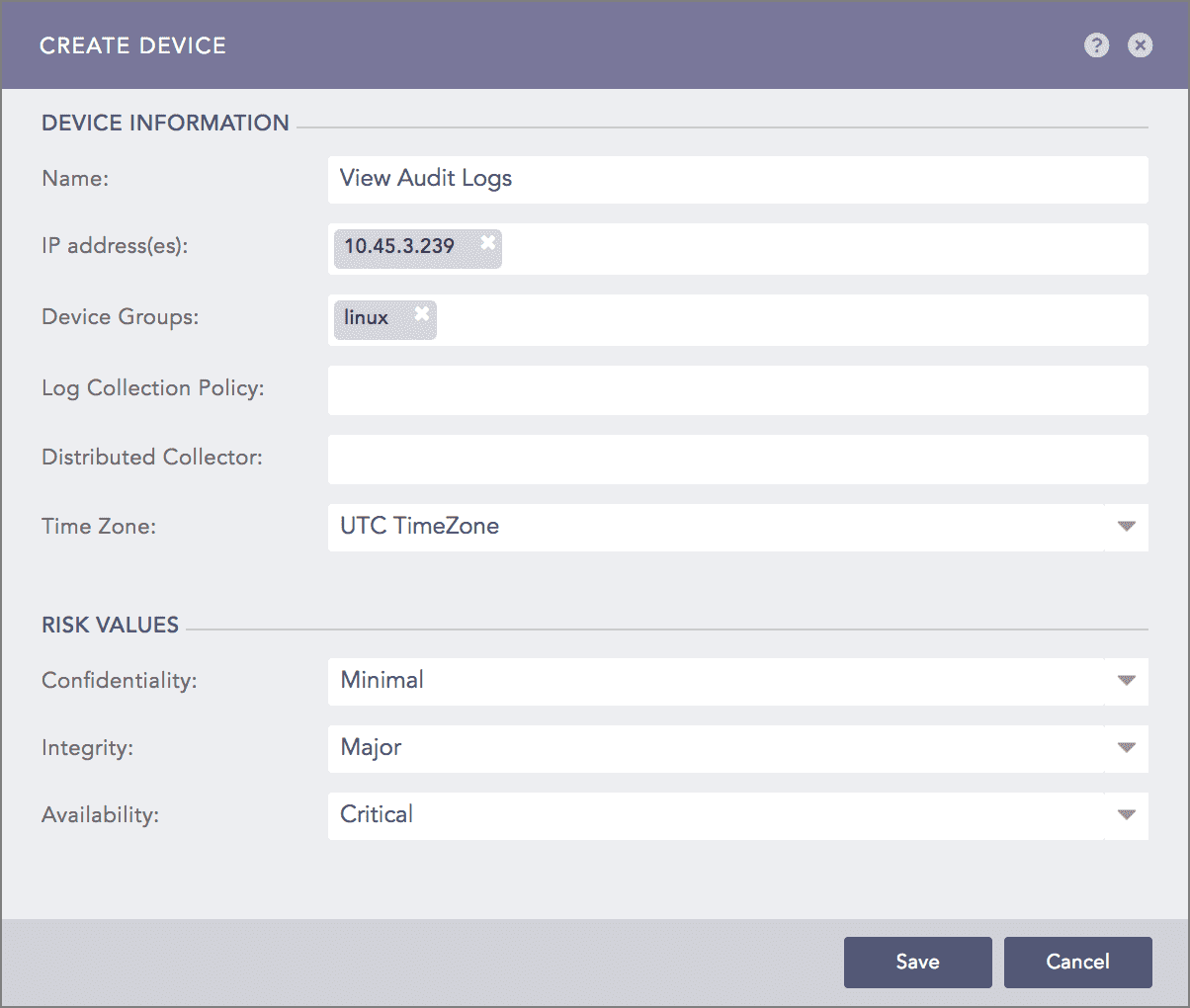
Create a device
Go to the Available Collectors Fetchers panel and click Syslog Collector.
Add the Syslog Collector to the device.
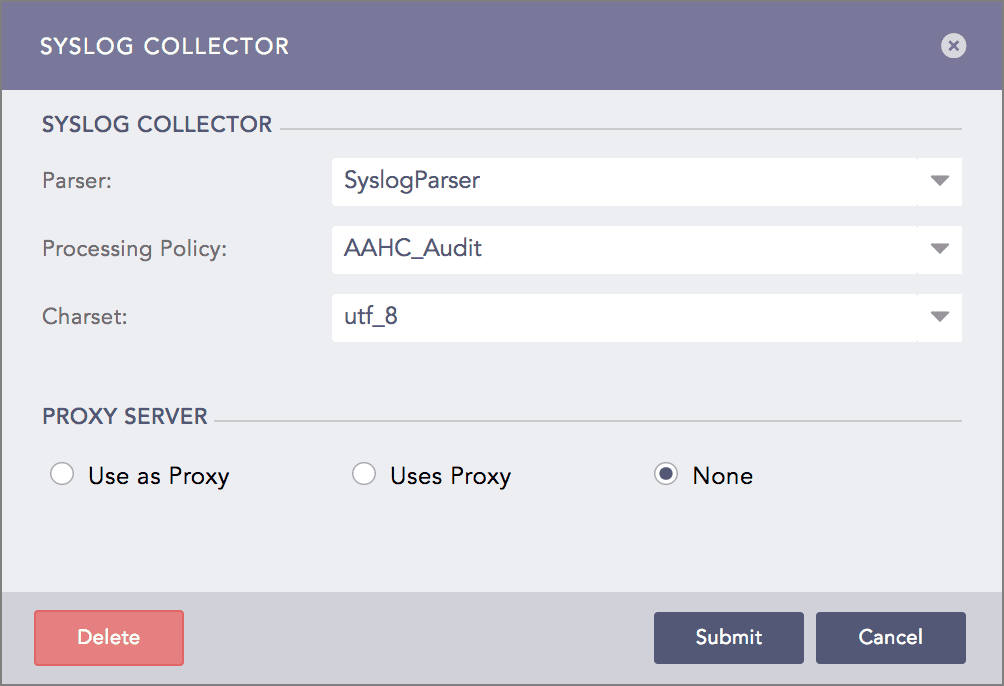
Configure the Syslog collector
Make sure you apply _logpoint as the normalization policy to correctly normalize the audit logs.